When interacting with Hashicorp Vault, tokens are the means for authentication and authorization. Provided by different engines, and associated with policies and roles, they give access to path-governed functionality of Vault.
In the last article, a complete overview to tokens was provided. Differentiated into type, capabilities, and origin, it became clear that managed service token supports all token features. This article continues the exploration. It details all CLI and API options for token management, and gives several hands-on command examples to create tokens with specific properties.
The background material for this article stems from the official Hashicorp Vault documentation about the token CLI commands and Token auth method (API).
Token Lifecyle
In Hashicorp Vault, tokens go through the following lifecycle phases:
- Creation: Tokens are created by using one of the authentication methods, by issuing a
vault writecommand to a defined secrets store, or via the command line. Static information and metadata information is stored for the token. - Update: The only value that can be updated on a token is its expiration date, all other properties are locked. If the token is renewable, is still valid, and did nor surpass an explicitly defined max-ttl, then it can be renewed. The new expire data is the current time plus its defined TTL.
- Expiring/Revoking: All tokens, with the special exception of the root token, expire once their TTL is reached or they are revoked. Their associated data is deleted, and if any lease is associated with it, the lease also gets removed.
Vault CLI
With the vault token command group, following token interactions, sorted along the token lifecycle, can be implemented.
create: Create a new token in the context of the current token value (which is implicitly stored following a successfulvault logincommand, or explicitly set with theVAULT_TOKENenvironment variable)capabilities: Prints the token capabilities for a specific path, which is implicitly a policy lookup using the policy definition verbslookup: Shows all information about a token or a token accessor.renew: Then the token has not expired and did not exceed its designated number of usages, it will be renewed.revoke: Immediately deauthorize the token, stopping all further usages. If the token is a parent to other tokens, they will be revoked as well.
Each command is detailed in the following sections.
Note: The token values are 92 characters long, but are abbreviated to 8 chars in the remainder of this article.
Creation
vault token create
Instantiates a new managed token in the context of the current token. By default, a child token is generated with the same policies as its parent. The available policies can be restricted, but not extended - the parent needs to have sufficient access rights by itself. During creation, an explicit TTL can be defined to create a renewable token, otherwise it will be non-renewable. In both cases, the max TTL limits the upper validity timeframe of the token.
Several flags can be used to define the desired properties.
Type
-type: Create either service or batch token
Capabilities
-orphan: Removes the relationship to the token that is used for the create command. The resulting token is independent, and it can become a parent for other tokens.-renewable: Tokens are renewable by default, but can be disabled by using this boolean flag.
Access Control
-policy: Attaches the given policy to the token. To define a list of policies, use this flag multiple times.-role: Roles are authentication-specific data structures grouping same properties. By naming the role, the token receives all properties that are defined in the role.
Validity
-explicit-max-ttl: Sets an absolute, non-extensible duration for the token.-period: The duration value for which the tokens TTL is extended when it is renewed.-ttl: The initial TTL value of the token. If not given, the authentication engines or Vaults base configuration TTL value is used.-use-limit: The absolute number of times a token can be used for an action.
Identification
-id: Tokens receive a random 92-character sequence of the base62 charset - or the value of this flag, which can be as short as one character-display-name: Metadata for human operators.-entity-alias: Links the token to a defined alias. This value needs to be included inallowed_entity_aliases.-metadata: Additional key-value pairs for further identification of this token. This flag can be used multiple times.
The following sections show how to create tokens with the desired properties.
Multi-Policy Token
> vault token create -policy=secret-management -policy=kv2-management

# Log messages
Key                 Value
---                 -----
accessor            32OK6kKt2rk7mw4jQ0ZbXT3E
creation_time       1753526225
creation_ttl        0s
display_name        root
entity_id           n/a
expire_time         <nil>
explicit_max_ttl    0s
id                  hvs.HTMdJOhL
meta                <nil>
num_uses            0
orphan              true
path                auth/token/root
policies            [root]
ttl                 0s
type                service
Periodic Token with Limited Renewability
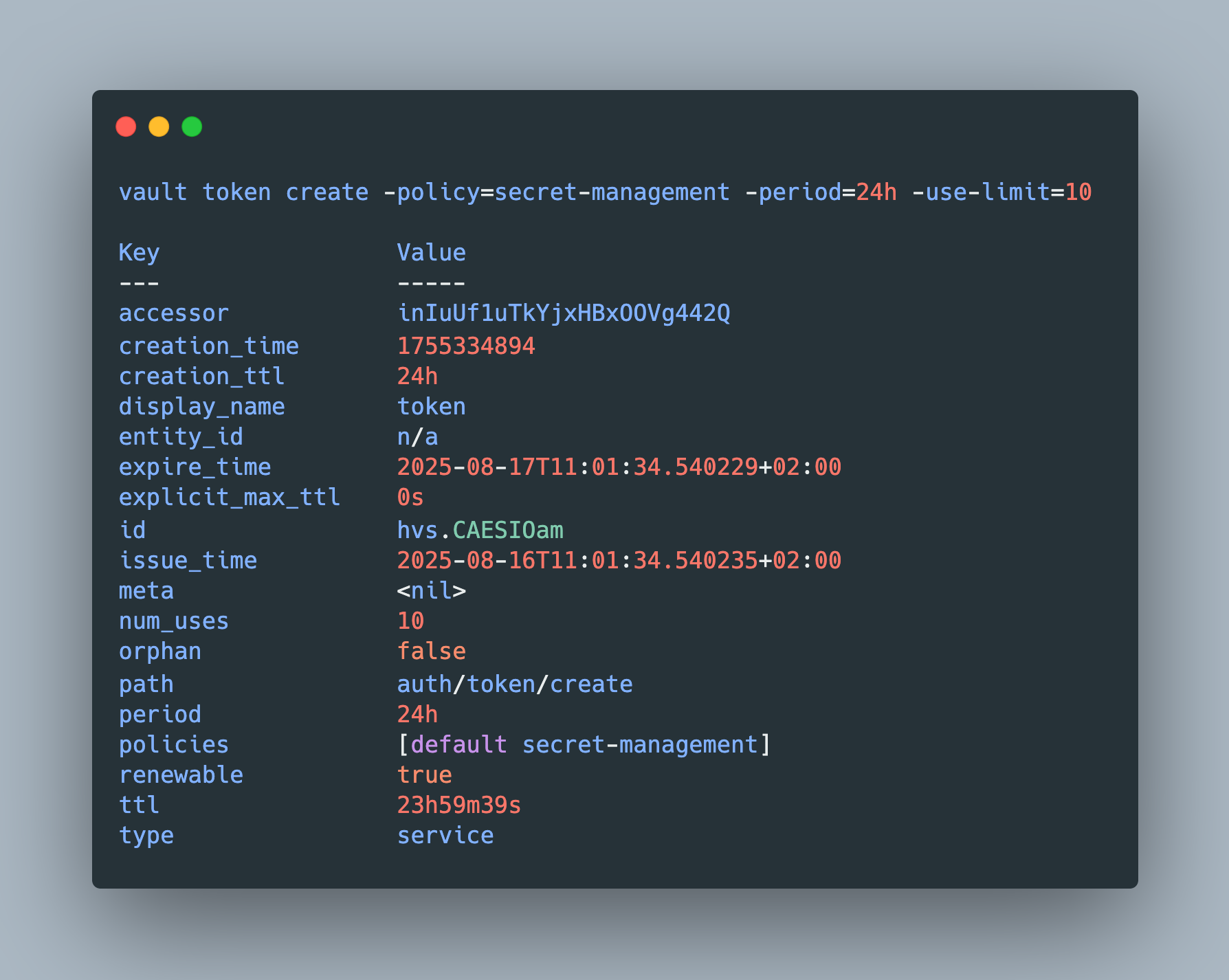
> vault token create -policy=secret-management -period=24h -use-limit=10

# Log messages
Key                 Value
---                 -----
accessor            inIuUf1uTkYjxHBxOOVg442Q
creation_time       1755334894
creation_ttl        24h
display_name        token
entity_id           n/a
expire_time         2025-08-17T11:01:34.540229+02:00
explicit_max_ttl    0s
id                  hvs.CAESIOam
issue_time          2025-08-16T11:01:34.540235+02:00
meta                <nil>
num_uses            10
orphan              false
path                auth/token/create
period              24h
policies            [default secret-management]
renewable           true
ttl                 23h59m39s
type                service
Batch Token
> vault token create -policy=kv2-management -type=batch -ttl=1h

# Log messages
Key                 Value
---                 -----
accessor            n/a
creation_time       1755335083
creation_ttl        1h
display_name        token
entity_id           n/a
expire_time         2025-08-16T12:04:43+02:00
explicit_max_ttl    0s
id                  hvb.AAAAAQLX
issue_time          2025-08-16T11:04:43+02:00
meta                <nil>
num_uses            0
orphan              true
path                auth/token/create
policies            [default kv2-management]
renewable           false
ttl                 59m45s
type                batch
Orphaned Token with Explicit Max TTL
> vault token create -policy=kv2-management -orphan -explicit-max-ttl=24h

# Log messages
Key                 Value
---                 -----
accessor            aiLPJrzGBU0lC1QdKDN1gHak
creation_time       1755335696
creation_ttl        24h
display_name        token
entity_id           n/a
expire_time         2025-08-17T11:14:56.773281+02:00
explicit_max_ttl    24h
id                  hvs.CAESIIpt
issue_time          2025-08-16T11:14:56.77329+02:00
meta                <nil>
num_uses            0
orphan              true
path                auth/token/create
policies            [default kv2-management]
renewable           true
ttl                 23h59m44s
type                service
Reflection
vault token lookup
Show all operational and metadata information about the token, including creation time and expiration timestamp, type, relationship, attached policies and access paths. The queried token can be specified directly by its token value or by its accessor value.
> vault token lookup $TOKEN

# Log messages
Key                  Value
---                  -----
accessor             e1FpV6OfhwrqwE8LWF0pldTN
creation_time        1755361260
creation_ttl         1h
display_name         token
entity_id            n/a
expire_time          2025-08-16T18:52:24.218038+02:00
explicit_max_ttl     24h
id                   hvs.CAESIPEd
issue_time           2025-08-16T18:21:00.342628+02:00
last_renewal         2025-08-16T18:32:24.218038+02:00
last_renewal_time    1755361944
meta                 <nil>
num_uses             0
orphan               true
path                 auth/token/create
policies             [default kv2-management]
renewable            true
ttl                  14m29s
type                 service
vault token capabilities
Tokens come attached with policies, and policies regulate access to endpoint paths. This command provides a simple way to check allowed actions to a given path for a specific token, identified by its ID, its accessor, or being the currently set token.
Here are some examples:
# Create token with /kv2 access policy
> vault token create -policy=kv2-management -ttl=1h

# Log messages
Key                  Value
---                  -----
token                hvs.CAESIFR_
token_accessor       QAYn1qn4b5se6u55ZqrzIiqd
token_duration       1h
token_renewable      true
token_policies       ["default" "kv2-management"]
identity_policies    []
policies             ["default" "kv2-management"]
# Check on path /sys
> vault token capabilities $TOKEN /sys

# Log messages
deny
# Check on path /kv2
> vault token capabilities $TOKEN /kv2

# Log messages
create, delete, update
# Check on path /kv2/data using its accessor
> vault token capabilities -accessor $TOKEN_ACCESSOR

# Log messages
kv2/data/
# Check capabilities for the context token
> vault token capabilities sys/

# Log messages
root
Renewal
vault token renew
When the token is renewable, this operation sets a new TTL value of the token, unless it was already expired. After reaching the max TTL, a renewal is not possible. The token is extended by its TTL value, or with any lower value by using the -increment flag.
Here is an example where the token would be extended by 1h, but the shorter period prevails.
> vault token create -policy=kv2-management -orphan -explicit-max-ttl=24h -ttl=1h

# Log messages
creation_ttl        1h
display_name        token
entity_id           n/a
expire_time         2025-08-16T19:21:00.342622+02:00
explicit_max_ttl    24h
issue_time          2025-08-16T18:21:00.342628+02:00
# waiting 10min
> vault token renew -increment=20m $TOKEN

# Log messages
creation_ttl         1h
display_name         token
entity_id            n/a
expire_time          2025-08-16T18:52:24.218038+02:00
explicit_max_ttl     24h
issue_time           2025-08-16T18:21:00.342628+02:00
last_renewal         2025-08-16T18:32:24.218038+02:00
last_renewal_time    1755361944
Revocation
vault token revoke
Before reaching their expiration date, tokens can be revoked immediately with this command. Different revocations are possible with this command:
- Single token, cascading: Default behavior, revokes the provided token ID. All children tokens are revoked as well.
- Single token, non-cascading: Only revoke the given token, and make all child tokens themselves orphaned. This behavior is achieved by running
--mode=orphan. - Multiple tokens: Remove all tokens created by an authentication engine at a certain path. Requires a combined call of
--mode=pathand a path instead of the token ID.
To provide a suitable context to show the different applications of this command, a token hierarchy needs to be setup.
First, define two policy files called token_management.policy.hcl and
// token_management.policy.hcl
path "auth/token/*"
{
  capabilities = ["create", "read", "update", "delete", "list", "sudo"]
}

path "sys/auth/token/*"
{
  capabilities = ["create", "read", "update", "delete", "list", "sudo"]
}
// secret_management.policy.hcl
# Create, update, and delete auth methods
path "sys/auth/*"
{
  capabilities = ["create", "update", "delete", "sudo"]
}
Second, create the policies:
vault policy write token-management token_management.policy.hcl

vault policy write secret-management secret_management.policy.hcl
Third, create a token that functions as the seed for child tokens.
> vault token create -policy=secret-management -policy=token-management

# Log messages
Key                  Value
---                  -----
token                hvs.CAESINVF
Fourth, store the seed token in a variable.
export TOKEN="hvs.CAESINVF"
Finally, use the seed token and the policies for creating tokens.
> VAULT_TOKEN=$TOKEN vault token create -policy="secret-management"

# Log messages
token                hvs.CAESIFlG
> VAULT_TOKEN=$TOKEN vault token create -policy="secret-management"

# Log messages
token                hvs.CAESIL0e
> VAULT_TOKEN=$TOKEN vault token create -policy="secret-management"

# Log messages
# token                hvs.CAESIN3i
Let’s revoke the third token, and check its status.
> vault token revoke hvs.CAESIN3i

# Log messages
Success! Revoked token (if it existed)
> vault token lookup hvs.CAESIN3i

# Log messages
Error looking up token: Error making API request.

URL: POST <http://127.0.0.1:8210/v1/auth/token/lookup>
Code: 403. Errors:
  - bad token
The lookup is not successful.
Now, let’s revoke the seed token, and check the status of the 2nd child token.
> vault token revoke hvs.CAESINVF

# Log messages
Success! Revoked token (if it existed)
> vault token lookup hvs.CAESIL0e

# Log messages
Error looking up token: Error making API request.

URL: POST <http://127.0.0.1:8210/v1/auth/token/lookup>
Code: 403. Errors:
- bad token
As expected, this token is also not valid anymore.
Vault API
A Hashicorp Vault instance exposes its complete functionality with different access paths, accessible as raw API endpoints with REST functionality. All Vault CLI commands are convenient wrappers around these endpoints.
In general, API endpoints provide similar, but sometimes differently named parameters. Also, for the same operation, several endpoints might exist with a nuanced behavior. This is intentional - access policies can target these specific endpoints, restricting functionality to the desired amount only.
The following sections show all API endpoints ordered along the Token lifecycle phases.
Creation
POST /auth/token/create                  # General purpose
POST /auth/token/create-orphan           # Orphaned tokens
POST /auth/token/create/:role_name       # Token properties from role
The API parameters are similar to their CLI counterpart, with some difference to names and types. For API usage, replace the hyphens - with and underscore _ character.
Following table lists all parameters.
| CLI Name         |  API Name | Note                     |
| ---------------- | --------- |------------------------- |
| type             | .         |                          |
| orphan           | no-parent |                          |
| renewable        | .         |                          |
| policy           | -         | Multiple key-value pairs |
| .                | policies  | Array                    |
| role             | .         |                          |
| explicit-max-ttl | .         |                          |
| period           | .         |                          |
| ttl              | .         |                          |
| use-limit        | num-uses  |                          |
| id               | .         |                          |
| display-name     | .         |                          |
| entity-alias     | .         |                          |
| metadata         | .         |                          |
As before, here are examples for creating tokens.
Multi-Policy Token
curl \
  --header "X-Vault-Token: $VAULT_TOKEN" \
  --request POST \
  --data '{"policies": ["secret-management", "token-management"]}' \
  http://127.0.0.1:8210/v1/auth/token/create
{
  "request_id": "70991241-0061-6320-4064-a38f6bf53f96",
  // ...
  "auth": {
    "client_token": "hvs.CAESIKMB",
    "accessor": "ykkFX1neNM42u8KoMbG0SuyU",
    "policies": [
      "default",
      "secret-management",
      "token-management"
    ],
    "token_policies": [
      "default",
      "secret-management",
      "token-management"
    ],
    // ...
  },
  "mount_type": "token"
}
Periodic Token with Limited Renewability
curl \
  --header "X-Vault-Token: $VAULT_TOKEN" \
  --request POST \
  --data '{"policies": ["secret-management"], "period": "8h", "num_uses": 10}' \
  http://127.0.0.1:8210/v1/auth/token/create
{
  "request_id": "bcf80068-5fab-f4a5-5c13-b8ee6520caea",
  // ...
  "auth": {
    "client_token": "hvs.CAESIIqZ",
    "accessor": "fB4kh3bKkEqkVUK2B8j2VHCx",
    // ...
    "lease_duration": 28800,
    "renewable": true,
    "entity_id": "",
    "token_type": "service",
    // ...
    "num_uses": 10
  },
  "mount_type": "token"
}
Batch Token
curl \
  --header "X-Vault-Token: $VAULT_TOKEN" \
  --request POST \
  --data '{"type": "batch"}' \
  http://127.0.0.1:8210/v1/auth/token/create
{
  "request_id": "e3afda5d-da04-ada0-34ae-aa0fa9c419ef",
  // ...
  "auth": {
    "client_token": "hvb.AAAAAQIf",
    // ...
    "token_type": "batch",
    // ...
  },
  "mount_type": "token"
}
Orphaned Token with Explicit Max TTL
Using the general-purpose method:
curl \
  --header "X-Vault-Token: $VAULT_TOKEN" \
  --request POST \
  --data '{"explicit-max-ttl": "1h", "no_parent": true }' \
  http://127.0.0.1:8210/v1/auth/token/create
Or the more specific endpoint:
curl \
  --header "X-Vault-Token: $VAULT_TOKEN" \
  --request POST \
  --data '{"explicit_max_ttl": "1h" }' \
  http://127.0.0.1:8210/v1/auth/token/create-orphan
The response is:
{
  "request_id": "ed052de0-70ad-4531-c5f3-09085f83aa2f",
  // ...
  "warnings": [
    "TTL of \"768h\" exceeded the effective max_ttl of \"1h\"; TTL value is capped accordingly"
  ],
  "auth": {
    "client_token": "hvs.CAESIB91",
    // ...
    "lease_duration": 3600,
    // ...
    "orphan": true,
    // ...
  },
  "mount_type": "token"
}
Reflection
For reading token value information, the following endpoints can be used.
POST /auth/token/lookup              # For token ID
POST /auth/token/lookup-accessor     # For token accessor ID
GET /auth/token/lookup-self          # For the assigned $VAULT_TO
Here is an example for using the token value directly:
curl \
  --header "X-Vault-Token: $VAULT_TOKEN" \
  --request POST \
  --data '{"token": "hvs.CAESIB91"}' \
  http://127.0.0.1:8230/v1/auth/token/lookup
And here the variant of using the accessor ID.
curl \
  --header "X-Vault-Token: $VAULT_TOKEN" \
  --request POST \
  --data '{"accessor":"cHdfqJRuW4nUmaZ7Hf4BPlJ6"}' \
  http://127.0.0.1:8230/v1/auth/token/lookup-accessor
{
  "request_id": "ae6a408e-9eba-5764-e0b7-805b6d566b0f",
  // ...
  "data": {
    "accessor": "cHdfqJRuW4nUmaZ7Hf4BPlJ6",
    "creation_time": 1755942812,
    "creation_ttl": 3600,
    // ...
    "ttl": 3151,
    "type": "service"
  },
  // ...
  "mount_type": "token"
}
For checking the capabilities of a token, these endpoints are available:
POST /sys/capabilities           # For token ID
POST /sys/capabilities-accessor  # For token accessor ID
The only other parameter is the paths array, containing all paths for which the access rights should be checked.
curl \
  --header "X-Vault-Token: $VAULT_TOKEN" \
  --request POST \
  --data '{"token": "hvs.CAESIOCU", "paths": ["auth/token"] }' \
  http://127.0.0.1:8210/v1/sys/capabilities
The response returns data resembling the access policy.
{
  // ...
  "request_id": "6a007c52-c0de-c541-3ec0-7be47970ff1f",
  // ...
  "data": {
    "auth/token/": [
      "create",
      "delete",
      "list",
      "read",
      "sudo",
      "update"
    ],
    "capabilities": [
      "create",
      "delete",
      "list",
      "read",
      "sudo",
      "update"
    ]
  },
  // ...
}
Renewal
The renewal endpoint exists in the now familiar form of three variants.
POST /auth/token/renew              # For token ID
POST /auth/token/renew-accessor     # For token accessor ID
POST /auth/token/renew-self         # For the assigned $VAULT_TO
All methods receive the increment parameter, the timespan for which the token should be renewed.
Here is an example:
curl \
  --header "X-Vault-Token: $VAULT_TOKEN" \
  --request POST \
  --data '{"token": "hvs.CAESIOCU", "increment": "30m"}' \
  http://127.0.0.1:8210/v1/auth/token/renew
{
  "request_id": "14161a97-d0a5-3342-8580-1639a169efb8",
  // ...
  "auth": {
    "client_token": "hvs.CAESIOCU",
    // ...
    "lease_duration": 1800,
    // ...
  },
  "mount_type": "token"
}
Revocation
Token revocations can be issued in three ways:
POST /auth/token/revoke              # For token ID
POST /auth/token/revoke-accessor     # For token accessor ID
POST /auth/token/revoke-self         # For the assigned $VAULT_TO
Here is an example using the accessor
curl \
  --header "X-Vault-Token: $VAULT_TOKEN" \
  --request POST \
  --data '{"accessor": "HG2Y3Htn8ID7tfMaSh4k4ky6"}' \
  http://127.0.0.1:8210/v1/auth/token/revoke-accessor
No return message is shown, but the Vault logfiles show a notification.
2025-08-22T17:07:23.724+0200 [INFO] expiration: revoked lease: lease_id=auth/token/create/hb3631269994fd462f859ffd8cbde26568460e2b02662b4052c0ec0f77cedffd1
Conclusion
In Hashicorp Vault, all interactions require a token, a time-constrained data packet that encodes access rights. Both the Vault CLI and API provide several commands to perform CRUD operations on tokens. In this article, you learned the concrete commands to create tokens, reflect their access rights, perform renewal updates, and revoking existing tokens. Each method was detailed with its parameters, and a concrete command example was shown.